Every answer, saved locally.
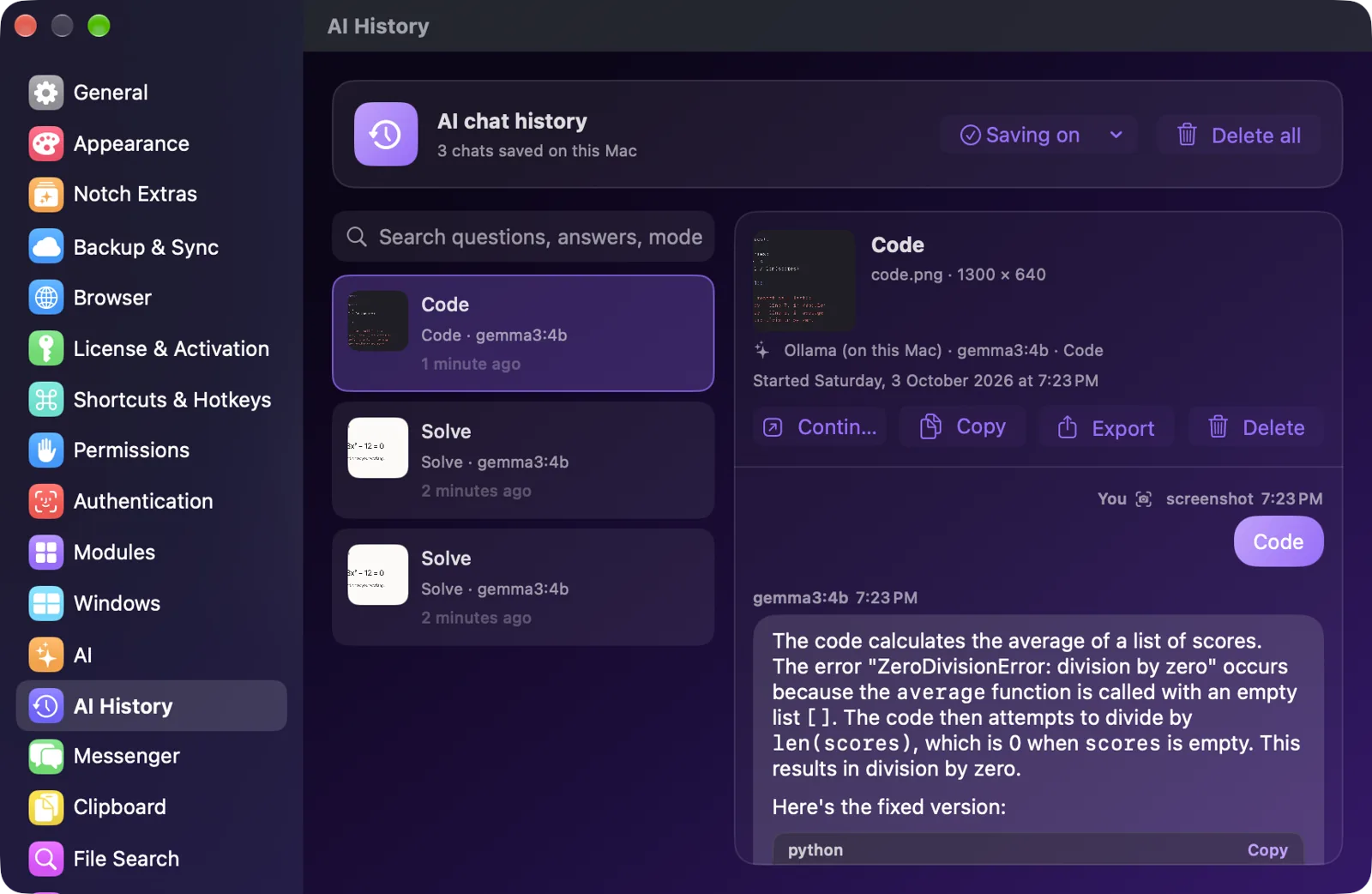
Each task keeps its image, mode, question, answer and the model that wrote it. Search "quadratic" and pick up where you left off, or set history to delete itself after a day, a week or a month.
Press ⌃⌥S, drag over anything on screen, and get it solved, explained or translated. Thirty more tools live right beside it.
Notch Apple lives in the black cutout at the top of your screen. Click it or press ⌃⌥N and it opens over whatever you're doing. No windows to find. No app switching. On Macs without a notch, it's a small pill that works the same way.
A maths question, a Python error, a chart, a page in another language. Four steps, all from the notch.
Press ⌃⌥S in any app, even full screen. The display under your pointer freezes and you select a region, a single window, or the whole screen. The crop stays Retina-sharp.
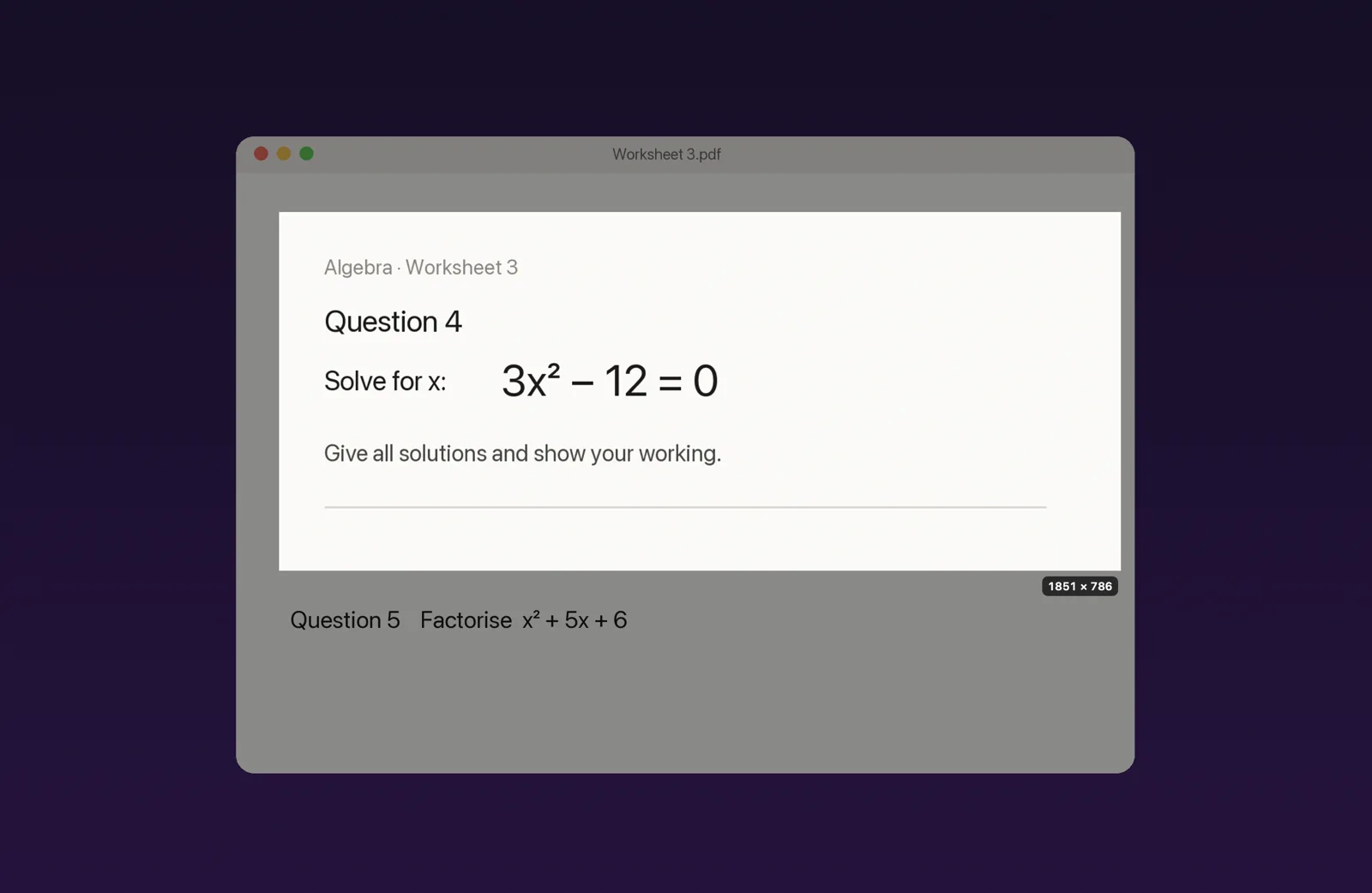
Notch Apple reads the text first and picks the likely action: Solve for maths, Code for an error, Translate for another language, Explain for a chart.
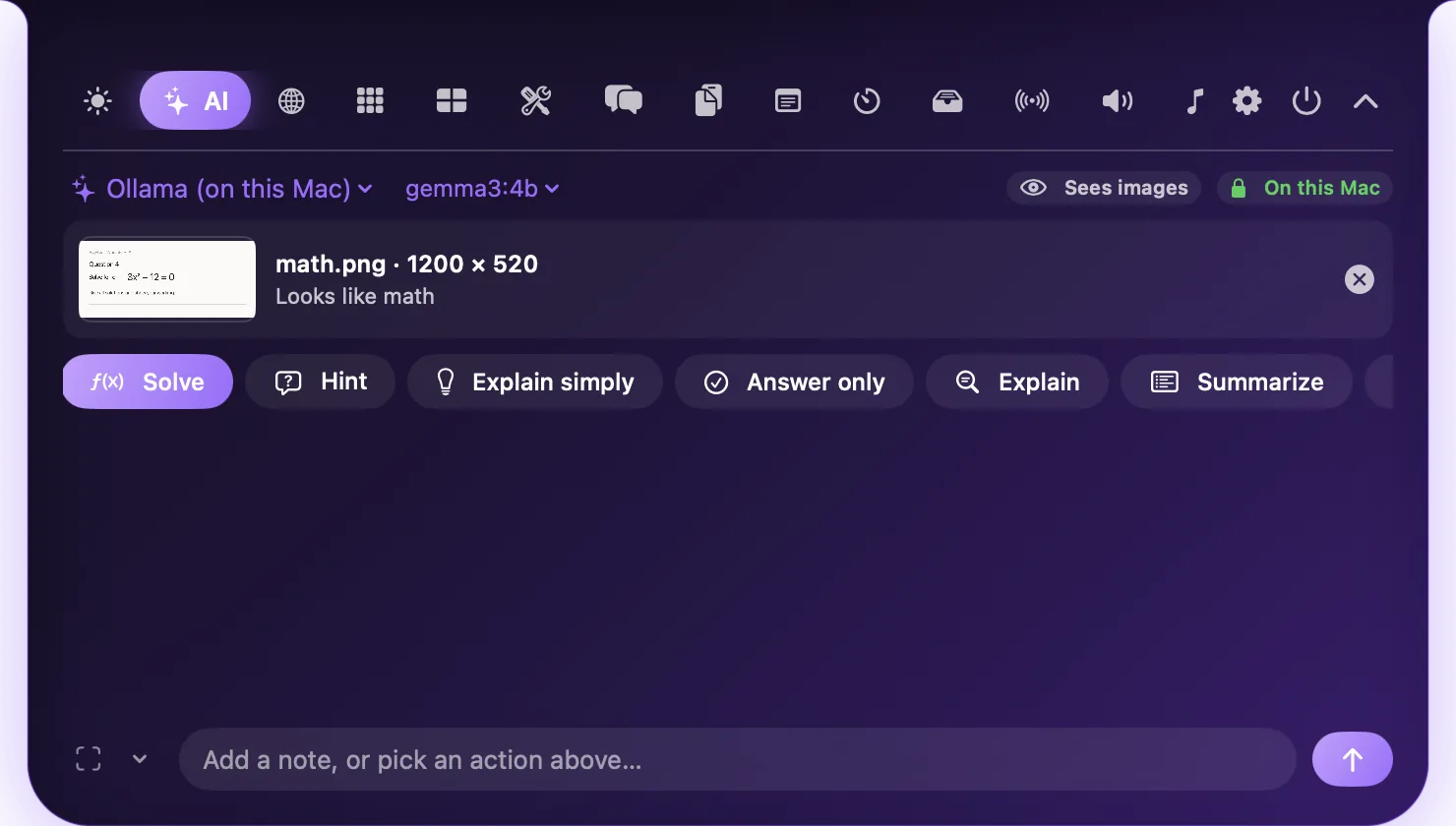
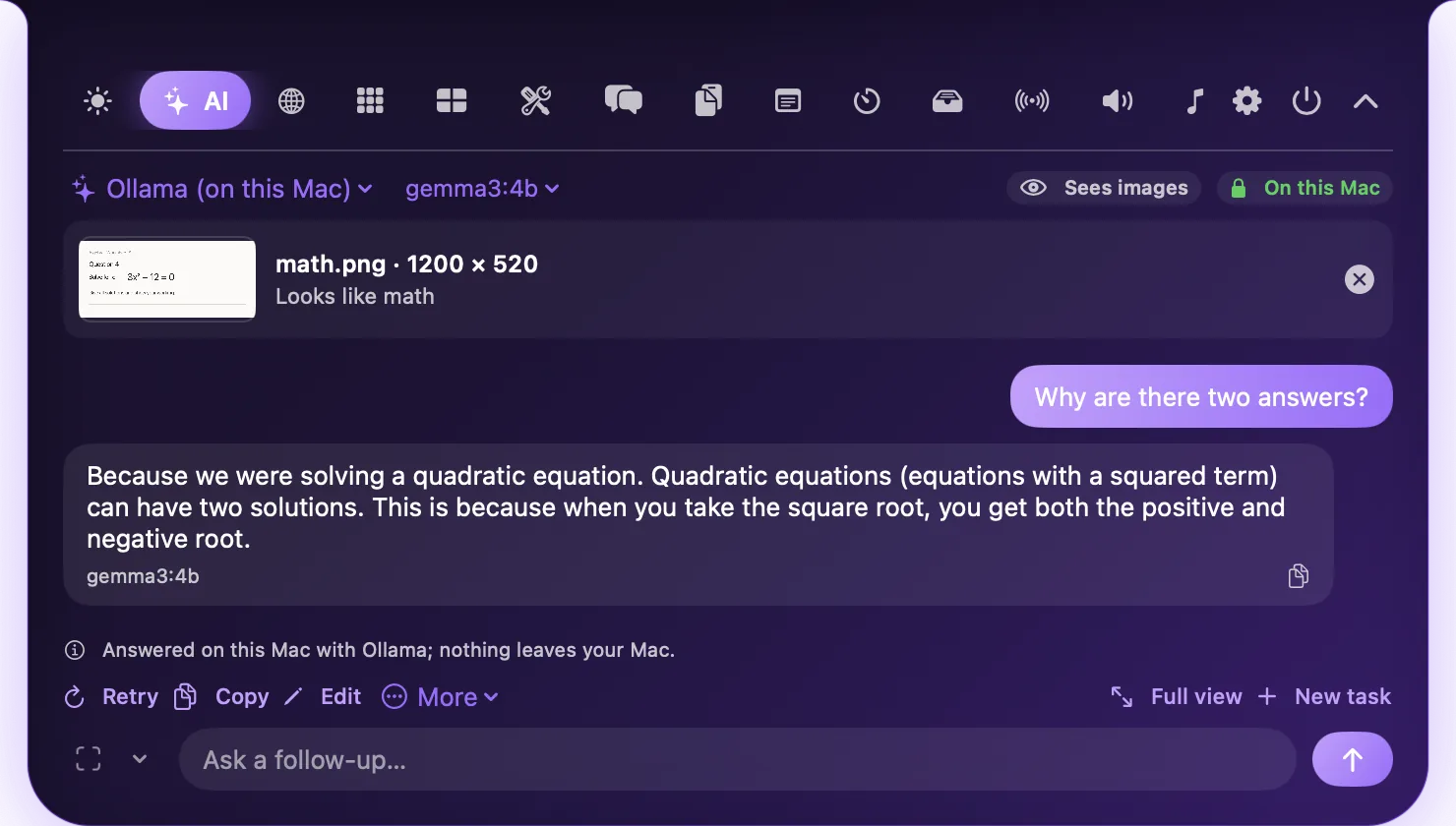
Answers stream in with readable maths instead of raw LaTeX, code blocks with Copy, and real tables. This one ran on the Mac itself with Ollama.
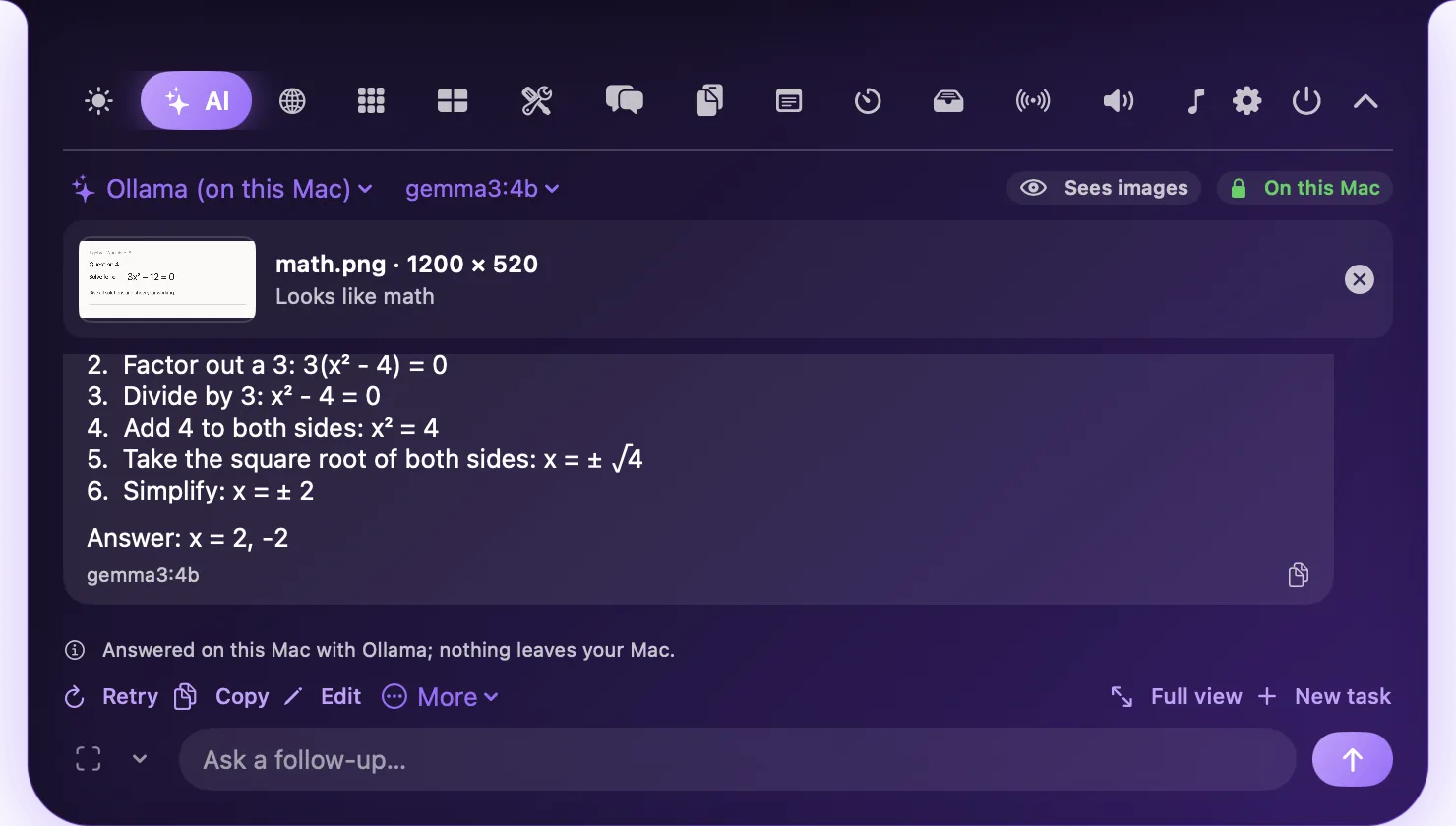
"Why are there two answers?" "Make it simpler." The AI still sees your capture and its earlier answers. Stop, Retry and Edit work like you'd expect, and everything can be exported as Markdown.
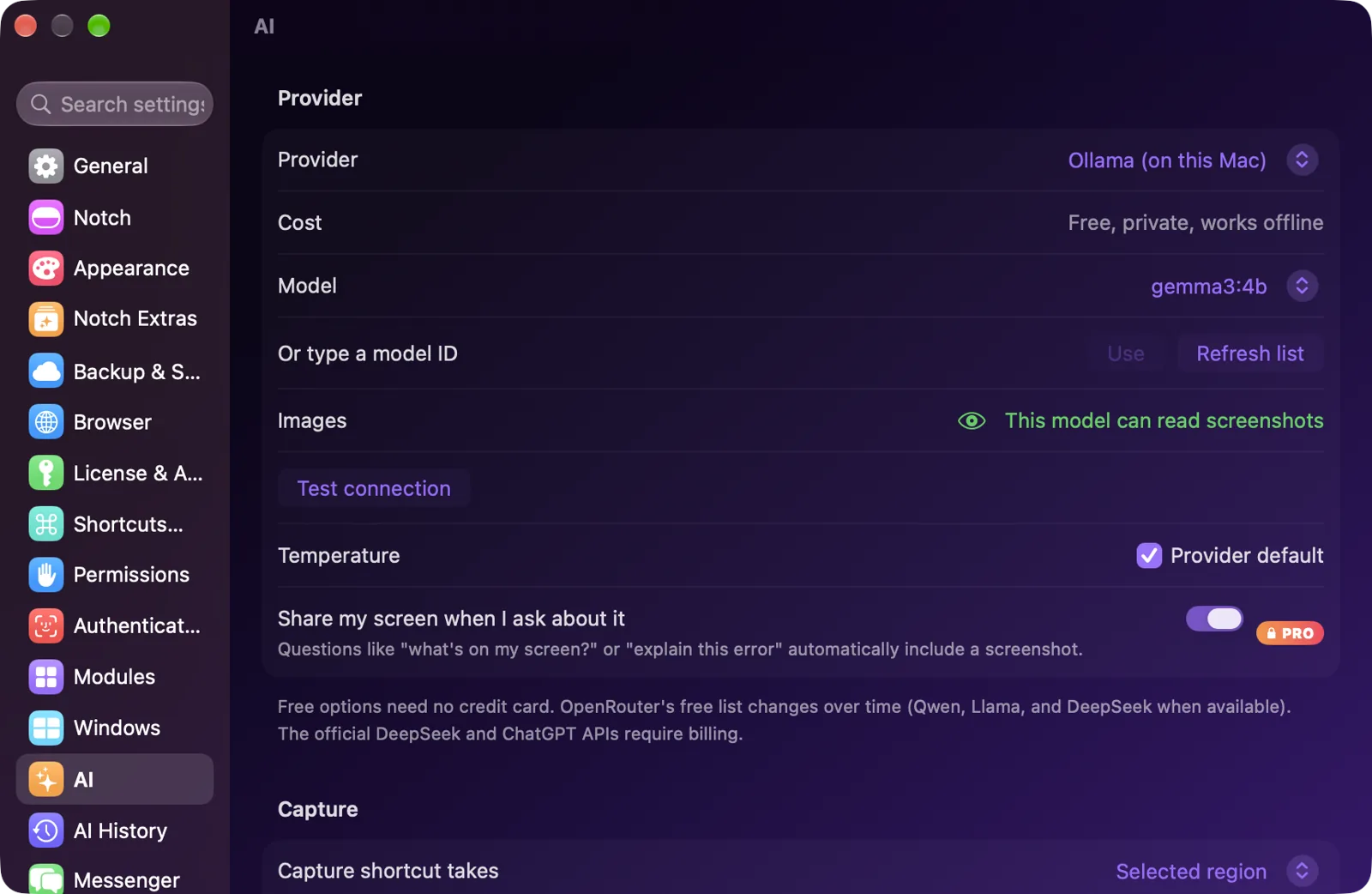
Pick the provider, keep the history, and always know what leaves your computer.
Each task keeps its image, mode, question, answer and the model that wrote it. Search "quadratic" and pick up where you left off, or set history to delete itself after a day, a week or a month.
Use a free key, run models on your Mac with no key at all, or bring your own.
Capture follows your pointer and uses that display's own resolution, so a Retina laptop beside a 4K monitor both come out crisp.
API keys, chat history, captures and on-device text recognition.
With a cloud provider, only your question and capture go to the provider you chose.
Answers are made on your Mac, and the notch says "On this Mac".
No account, and nothing is counted unless you say yes: an optional, anonymous user count (version, system, plan) and a feedback box. Signing in is optional and only syncs your setup.
Live F1 timing, your football team's next match, and a quick game for the break in between.
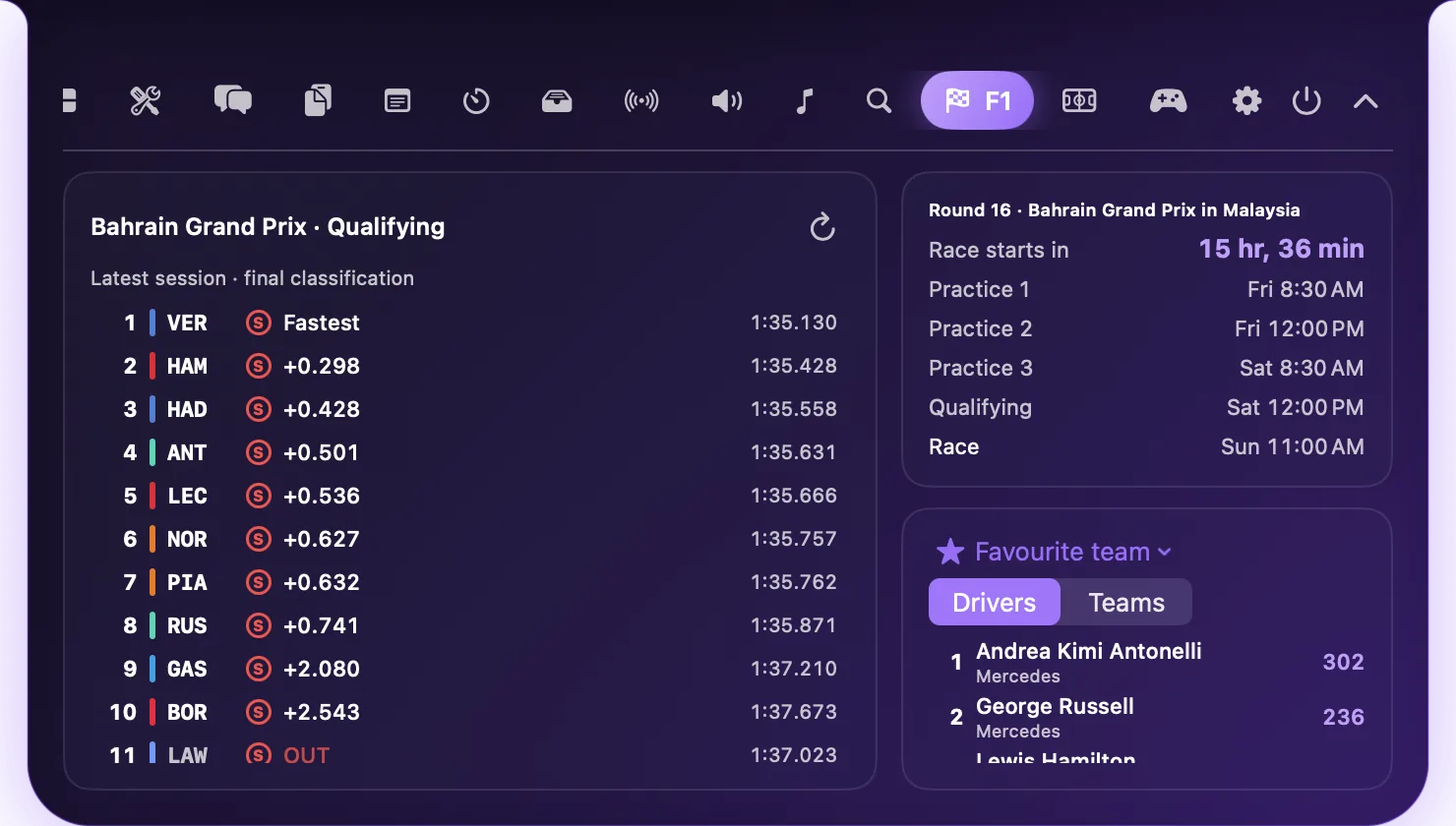
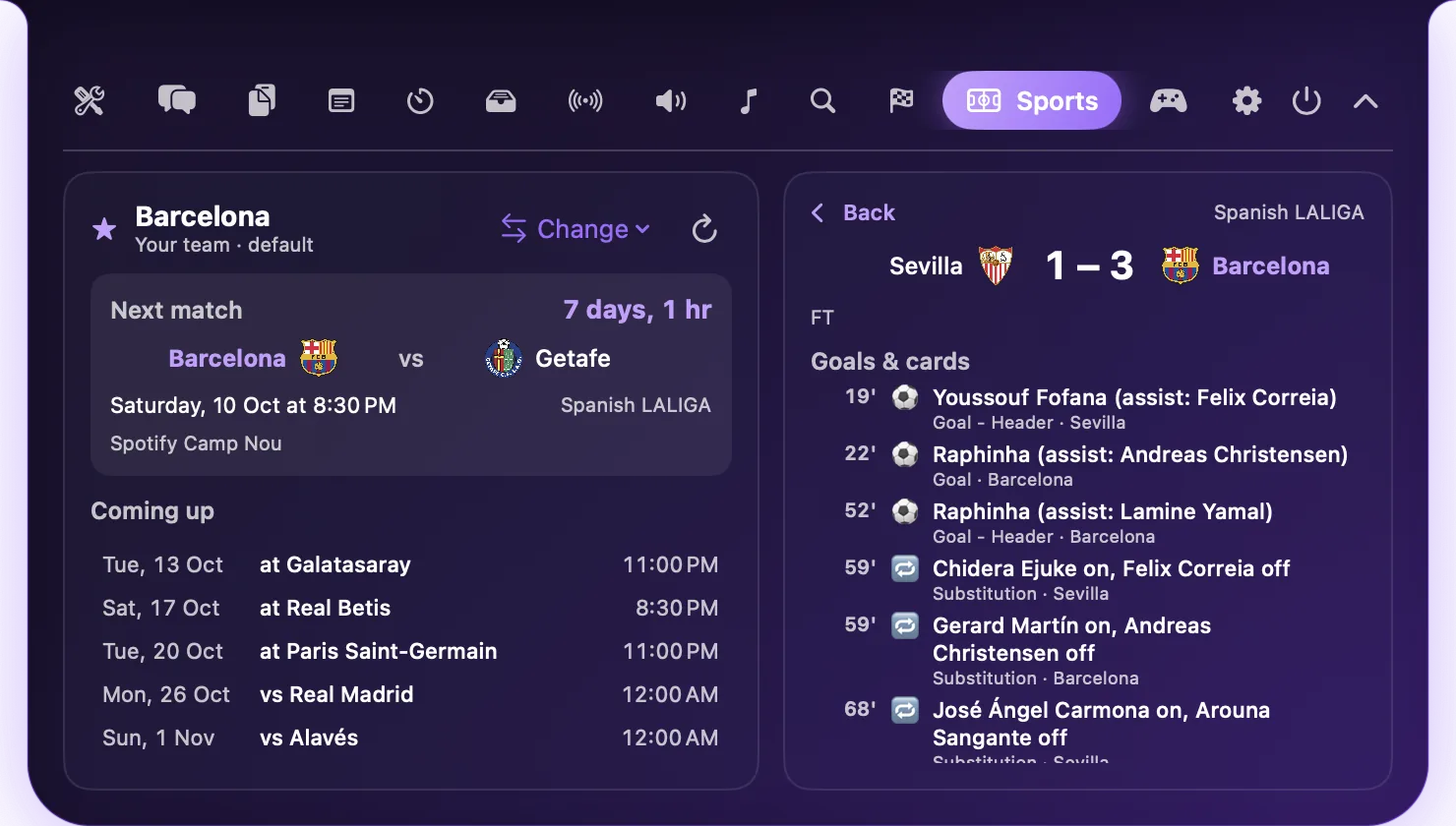
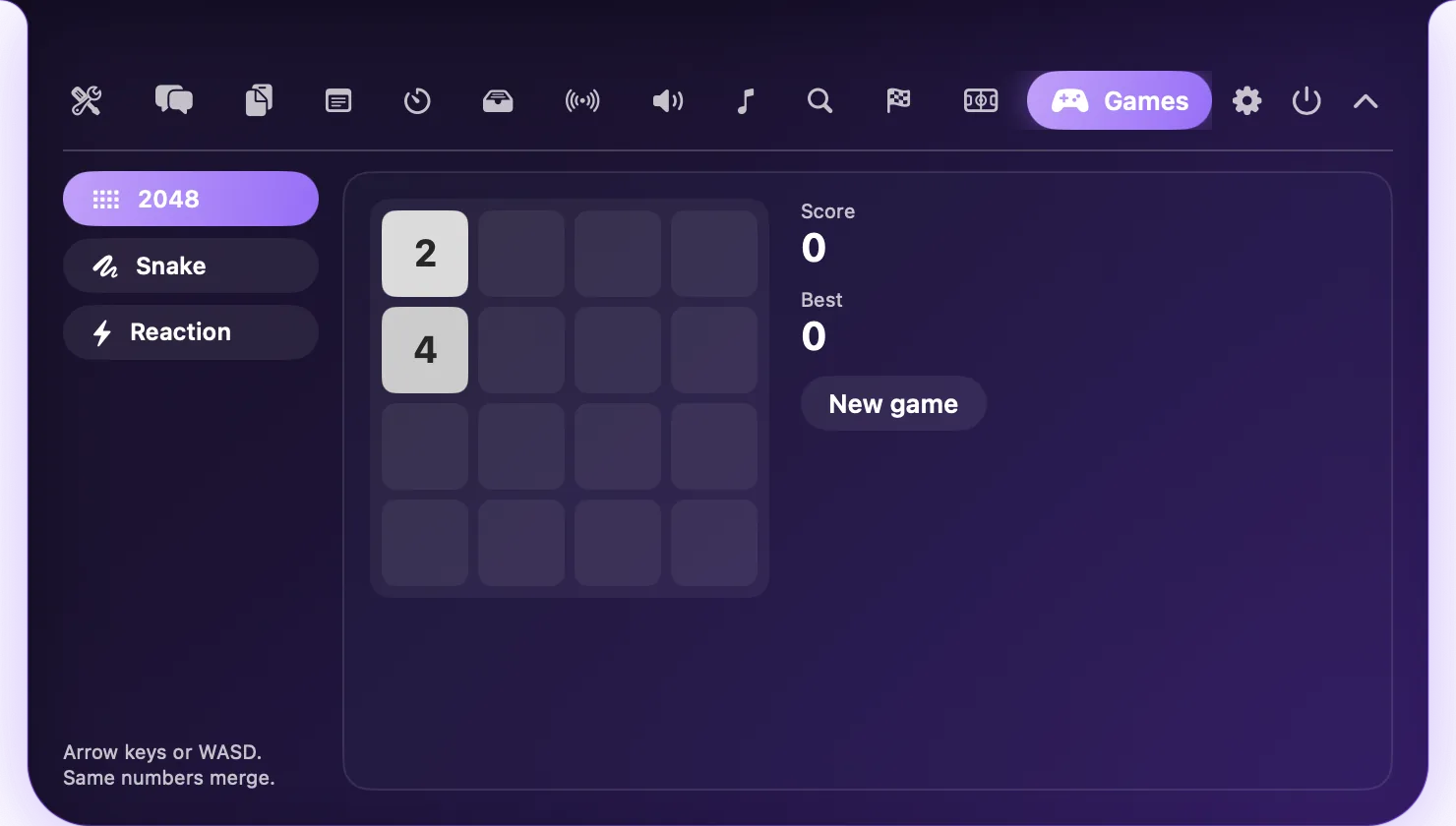
Every module is optional. Switch them in Settings → Modules and the rest stays out of your way.
Anything playing, with album art beside the notch, controls and synced lyrics.
Weather, your next events, battery, devices, notifications and quick add, with clipboard, now playing and notes one click away. Choose the Classic page or the widget page, and reorder the widgets.
Search, pin and filter what you copied. Password-manager secrets are never saved.
Quick notes and a to-do list, saved on your Mac as you type.
Drop a file on the notch to park it. Drag it out whenever you need it.
Spotlight-powered search for files, apps and folders.
Presets from a minute to an hour, laps, and the time left beside the notch.
Plug in and the notch says how long until full. Unplug and it shows the time left.
The cities you care about, with day or night and the difference from yours.
Drag a window to the notch and drop it on a zone, or use ⌃⌥ and the arrow keys.
Text Grab, Keep Awake, a colour picker and a calculator that answers as you type.
Seven languages with pronunciation and read-aloud.
Live RAM, CPU, network, battery and disk, in the notch or as a widget.
Weather, music, next events and the MacBook Center widget.
Run Apple Shortcuts and Focus modes, or drive the notch with notchapple:// links.
Paste saved text into any app in one click.
Search the web and open your favourite apps from a shelf you arrange.
Pomodoro sessions with the countdown beside the closed notch.
Send with AirDrop, or to any device on your Wi-Fi with a 6-digit code.
AirPods and accessory battery, which apps use your mic, and Ring my iPhone.
Your other apps' notifications in the notch, and replies to iMessages.
Paste a parcel or flight number and follow it from the notch.
Chat on the same Wi-Fi or in an encrypted room. Random handles, no accounts.
Volume up to 150% and a 10-band EQ for each app.
A list of free OpenVPN servers, or import your own profiles.
Your setup and key follow you to a new Mac. Or use iCloud or a backup file.
Lock the notch with Touch ID, your password or your webcam.
Record from the notch, transcribe on your Mac, then summarise with action items.
See where your time goes, set app limits, and block distractions during Focus.
Type "Dentist tomorrow 3pm" and it lands in Calendar or Reminders.
⌃⌥P runs anything, with a text expander, markup, ruler and converter.
Your own dashboard, profiles by app or time of day, and 22 themes.
AI answers that cite their sources, plus personas and voice.
Your notch on your iPhone over Wi-Fi, encrypted, with no server.
Live Activities API, AI automations, the plugin SDK and scripting.
Turn any script's output into a notch widget, or grab one from the gallery.
Every aircraft around you, live on a round radar, with callsign, type, height and speed.
Every ATP and WTA match live, Grand Slams in red, the top 20 and your favourite players.
A 3D flight sim in the notch: Cessna to A380, real dials, engine sounds, retractable gear, GPWS callouts and a Battle mode with clearer targets, objectives and full-screen controls.
Ask without setting up a key: answered by Notch Apple's own AI, with a daily allowance. Your own keys still work.
Mechanical keyboard sounds in any app: thirteen sounds, four of them premium downloads.
Drop any file and turn it into another kind: PPTX to PDF, HEIC to JPG, MOV to MP4 and more.
Tell the AI what to do on your screen and watch it work, with a Stop button that works from any app.
Optional, off by default: be asked about updates once a week instead of for every release.
No subscription, no account, no renewals. Every future update is included.
Paid in Litecoin, key emailed to you. Students can ask for a free Pro code. Have a promo code?
Taken from the current app with sample data. Click any to enlarge.
Updates arrive in the app: a notification, an Update button in the notch, and Update or Not now in Settings.
Latest release on GitHub
# or with Homebrew
brew tap adityajaindxb/notchapples https://github.com/AdityaJainDXB/NotchApples
brew install --cask notch-appleNotch Apple is free and always will be. If it helps you, here's how to help it.
Any amount, in Litecoin. It doesn't unlock anything; it keeps the project going.
ltc1qymlmvkdmvpk5f90esthzgwaw6w0tuzq6tdr6kfSwift, SwiftUI and AppKit, source-available under the Notch Apple Source-Available License.
Anything else? Open an issue.
Yes. Notch Apple shows a small pill at the top centre of the screen that works exactly the same way.
Yes: the core app is free, and the code is source-available (you can read and build it, but not resell it or unlock the paid features without a key). AI uses free providers by default (Gemini, Groq, OpenRouter's free models, or Ollama on your Mac). Pro ($1) and Ultimate ($5) are optional, one-time purchases.
Click the notch, press ⌃⌥N in any app, or drag a file onto it. Press Esc or click elsewhere to close. You can also turn on "open on hover" in Settings → General.
Moving other apps' windows is only possible through macOS Accessibility. Notch Apple uses it only to read and set window positions.
Screen Recording permission, asked the first time you press ⌃⌥S. macOS applies it after Notch Apple restarts.
Google Gemini is free and reads images. For complete privacy, install Ollama and run ollama pull gemma3:4b: answers are made on your Mac, offline. Settings → AI → Test connection checks your setup.
Notch Apple checks GitHub for the latest release and shows "Update available". Choose Update or Not now, or turn off automatic checks in Settings → Updates.
Turn off modules you don't need in Settings → Modules. Older, smaller builds are listed in the README.
Keep scrolling and Notch Apple takes you back to the start.
